NATIVE • macOS & LINUX • v3.5.2

Visually rewind
your Git history.

GitRewind — a time machine for your git history.

A native desktop app for macOS and Linux. Scrub an interactive timeline to see exactly how any file — or your entire repository — looked at any point in time.

Free for personal & professional use • No account required
GitRewind — Visually rewind your Git history
100% local No telemetry or accounts
Native macOS & Linux
POWERFUL YET SIMPLE

Everything you need to
understand your code’s past.

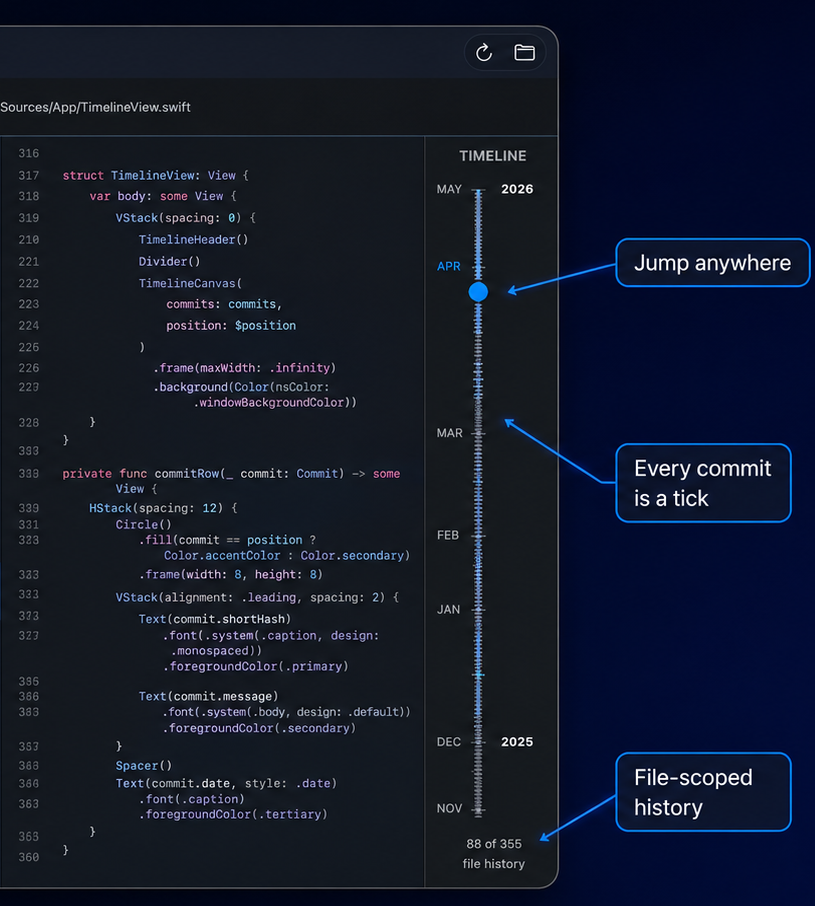
Interactive timeline

Drag the non-linear slider to jump to any commit. Tick marks for every change — dense history stays navigable.

Timeline navigation
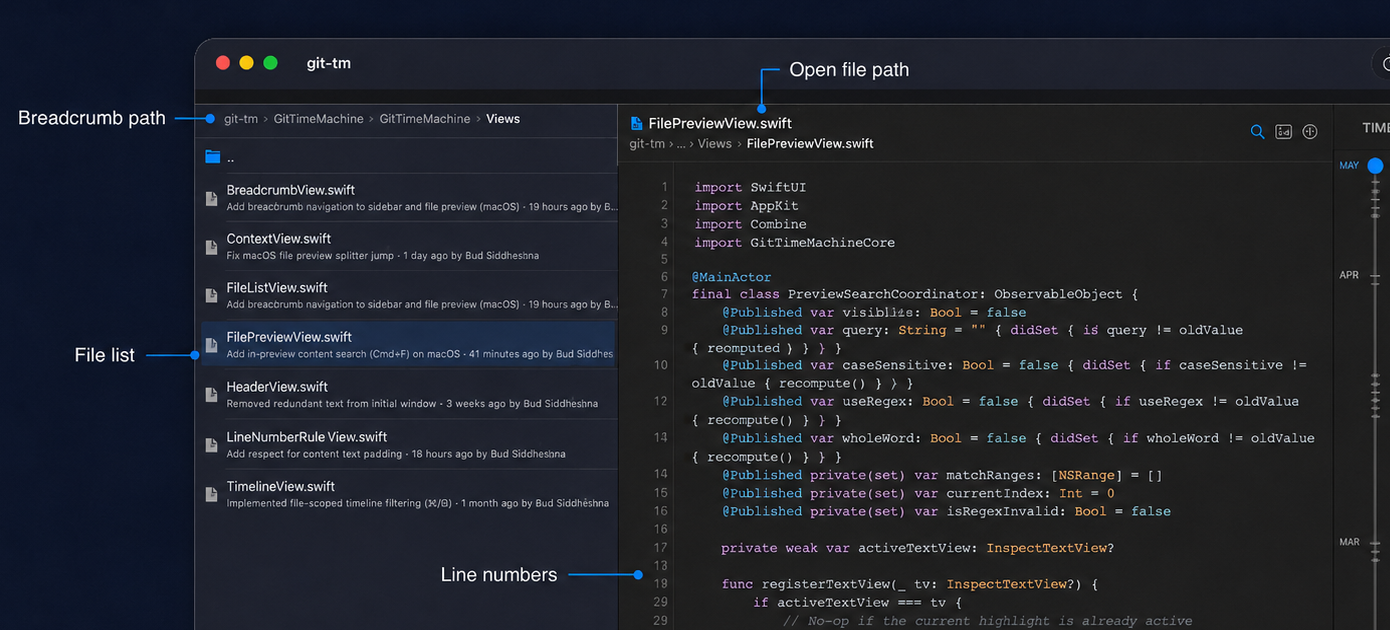
File preview with syntax

Click any file to see its exact content at that moment in history. Syntax highlighting for dozens of languages.

File preview
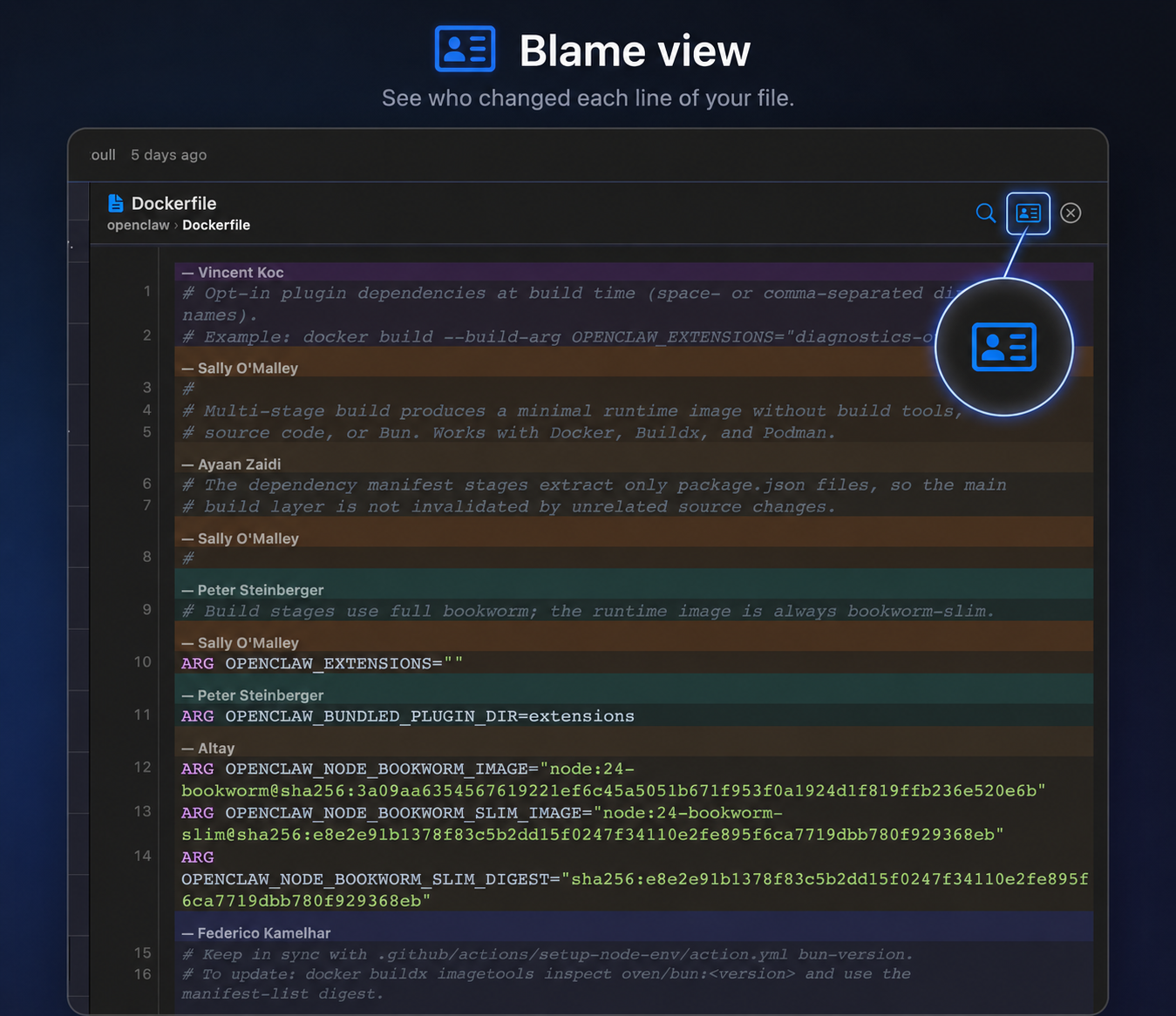
Blame view

Each author’s lines get a unique background color. Instantly see who wrote what, at any point in time.

Blame view
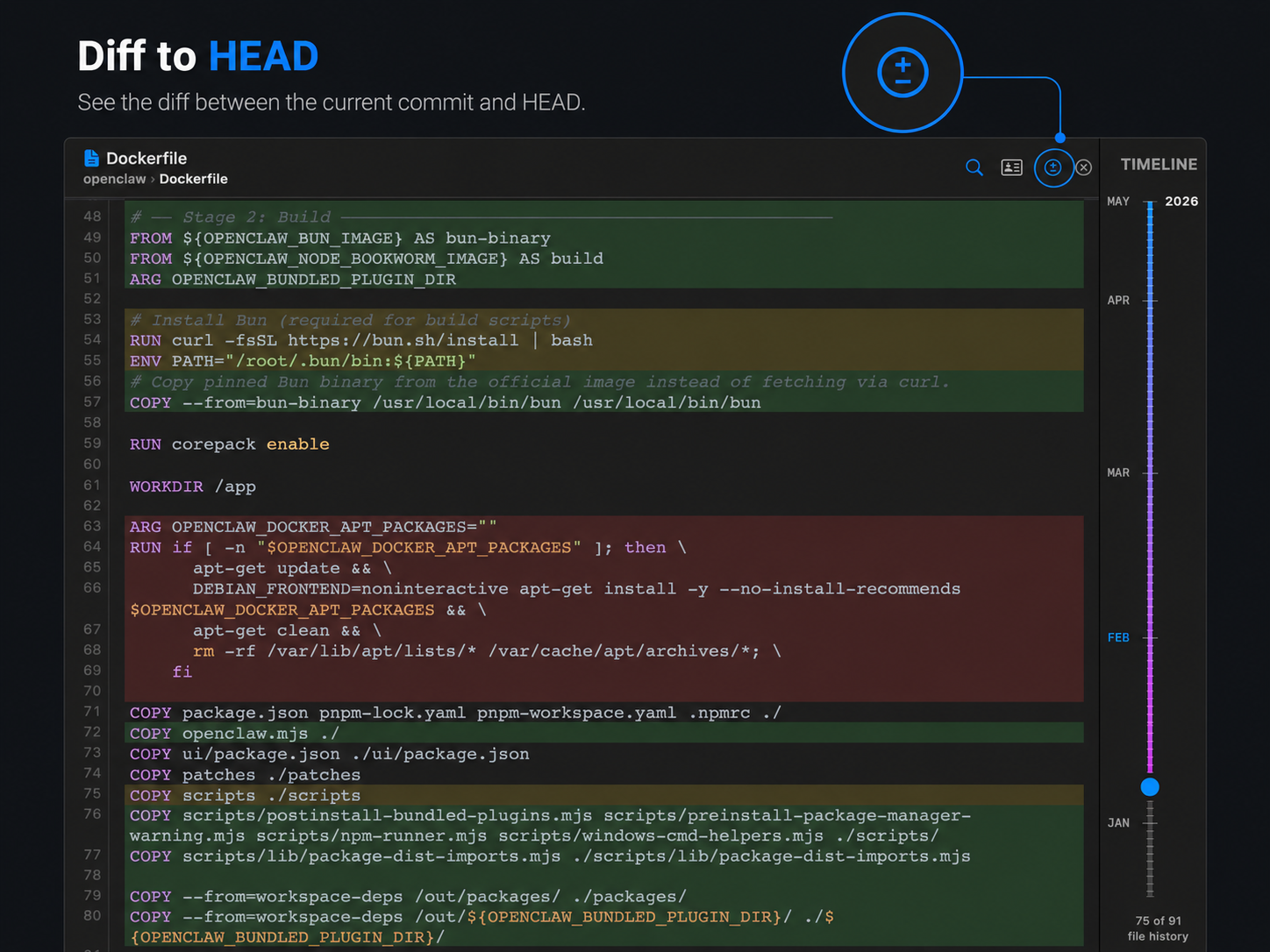
Diff vs HEAD

See exactly what changed between any historical version and the current file at HEAD — green, yellow, red highlights.

Diff against HEAD
Inspect & travel

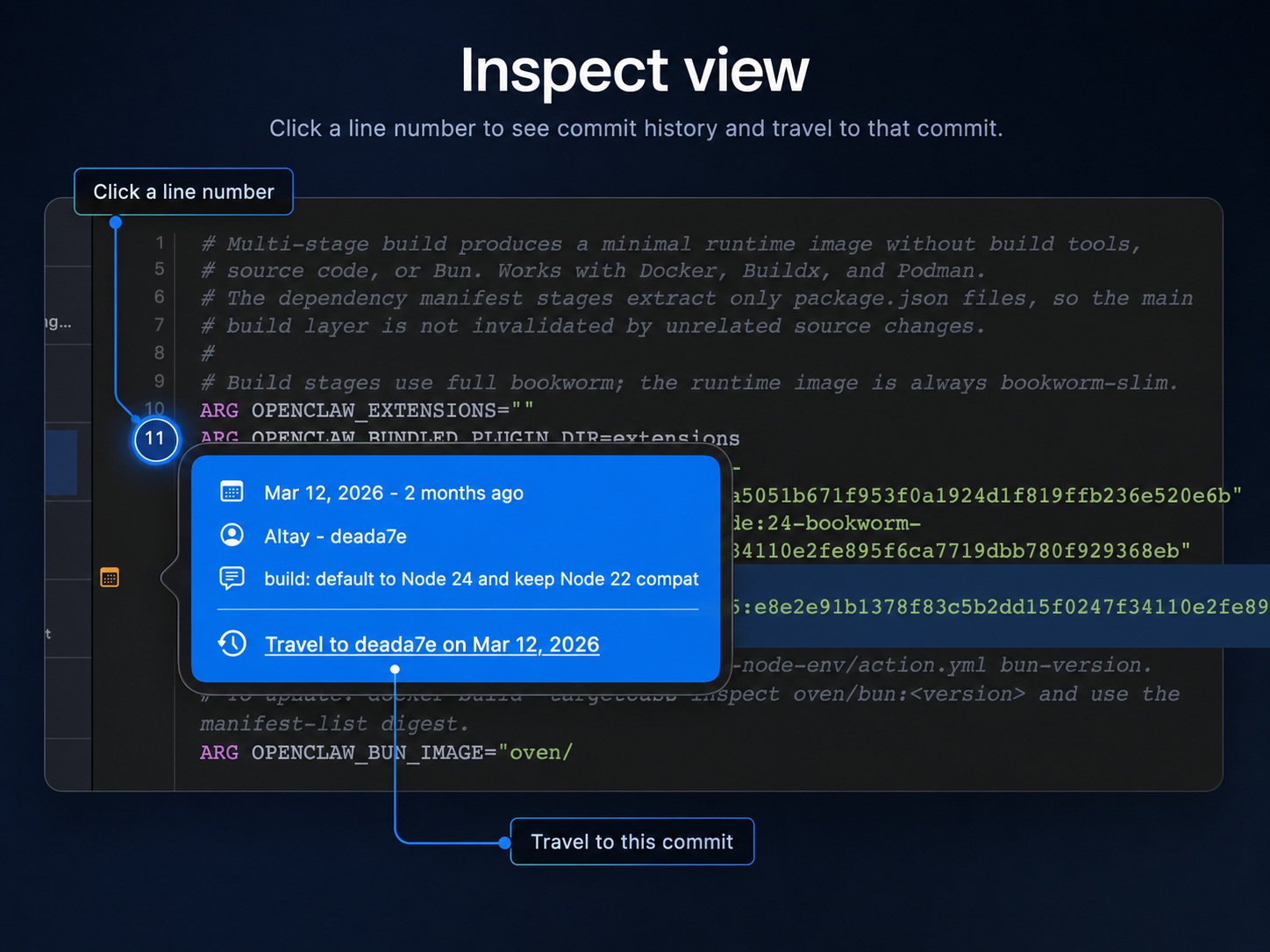
Click the magnifying glass, hover any line, pin it, then jump the timeline directly to the commit that last touched it.

Inspect mode
Global file search

Press ⇧⌘P for fast fuzzy file & path search across the whole repo at the current commit. In-preview content search (⌘F) with regex is also available inside any open file.

⇧ ⌘ P
Global fuzzy search
In-file search with ⌘F
Linux has core timeline, preview, blame, and diff. Some newer macOS polish ships first on macOS.
The signature experience

The non-linear timeline that actually works.

Every commit is a tick. Dense clusters of activity are automatically spaced out so you can still navigate them. File-scoped history appears the instant you click a file.

↑ / ↓
Step through commits
The GitRewind timeline
GET STARTED

Install in seconds.

The recommended way is the one-line installer. It downloads the latest release, installs the app, and sets up the gtm command.

Quick install (macOS & Linux)
curl -fsSL https://gitlab.com/geekaholic/git-time-machine/-/raw/main/install.sh | sh
This is the exact command from the official project. It handles Gatekeeper on macOS automatically.
Requirements
  • macOS 26.0 or later
  • Git (comes with Xcode Command Line Tools)
After running the installer
GitRewind is installed to /Applications/GitTimeMachine.app (name transition in progress).
The gtm command is placed in ~/.local/bin.
First launch (manual DMG only): If you download the DMG manually, right-click the app in Finder → Open, or run xattr -cr /Applications/GitTimeMachine.app in Terminal. The installer script does this for you.
You can also download releases manually from GitLab Releases. Once installed, run gtm /path/to/repo from any terminal.
DAILY DRIVER

Open any repo instantly.

The gtm command-line tool (installed alongside the app) is the fastest way to open a repository.

gtm
gtm ~/Projects/my-app
Validates it’s a Git repository before launching.
Key interactions
  • ⌘O Open any Git repository
  • ↑ / ↓ Step one commit at a time
  • ⌘F Open in-preview search (regex supported)
  • ⇧⌘P Global fuzzy file search (new in 3.5)
Pro tips
• Clicking a file in the sidebar instantly narrows the timeline to only its history.
• The breadcrumb in the header is clickable — jump back up the tree instantly.
• Appearance toggle (sun / moon / auto) remembers your choice.
WHAT’S NEW
Recent improvements
Full changelog →
v3.5.2 / 3.5.0 — File search
Major new global fuzzy file search (⇧⌘P) with persistent SQLite cache, streaming indexing for huge repos, and dramatically improved performance on large histories.
v3.4.0 — Compare tree with HEAD
New ± toggle colors the entire file tree by status vs HEAD (green = added, red = removed, yellow = modified). Extremely useful when reviewing older states.
v3.3.6 — Appearance & update
System-aware light/dark toggle that persists. gtm update command to upgrade in place. Much improved large-repo behavior across the board.

Private by design.

GitRewind runs entirely on your machine. It never makes network requests or sends any data anywhere. The macOS App Sandbox and Linux packaging enforce this at the OS level.

Your repositories never leave your computer.